Mini PC vs SBC: Which is right for your DIY media server?
Building a home media server has never been easier. Between the rise of affordable single board computers (SBCs) and the availability of compact but powerful mini PCs, Linux enthusiasts now have more choices than ever. Both platforms can handle tasks like streaming movies, serving music libraries, or hosting personal cloud storage—but each comes with trade-offs in performance, power efficiency, expandability, and price.
What is a Mini PC?
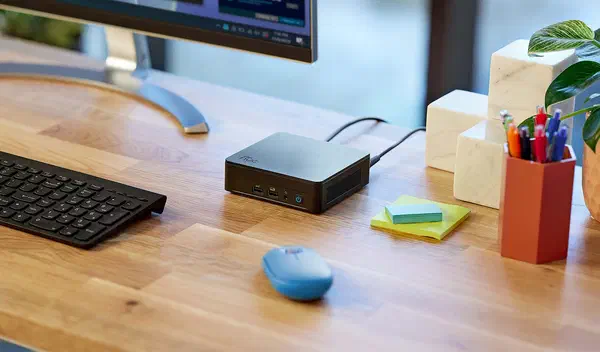
A mini PC is essentially a small-form-factor desktop computer. It typically includes an x86 CPU (Intel or AMD), standard RAM slots, NVMe/SATA storage options, multiple USB ports, and HDMI/DisplayPort outputs. In practice, a mini PC runs almost any Linux distribution without driver headaches, and performance is closer to a traditional desktop.
Pros
- Strong performance – Modern Intel and AMD chips handle multiple 4K streams, with hardware acceleration for AV1, HEVC, and VP9.
- Storage flexibility – Support for NVMe SSDs, SATA drives, and sometimes even dual M.2 slots.
- Better I/O – Multiple USB ports, dual/multi-gigabit Ethernet, and dual monitor outputs.
- Broad OS support – Works with most Linux distros without custom kernels.
Cons
- Higher cost – Typically from $250 to $500 USD for solid options.
- More power hungry – Idle consumption can be 10–20W.
- Less hackable – Fewer low-level tinkering opportunities compared to SBCs.
What is a Single Board Computer (SBC)?
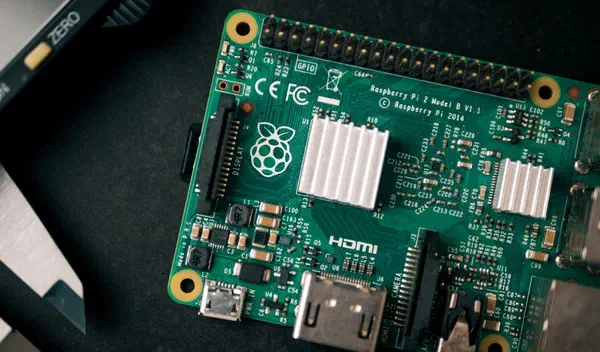
An SBC is a compact ARM-based board such as the Orange Pi 5 Plus or RockPro64. Everything—CPU, GPU, RAM, storage interfaces—is soldered onto a single board. SBCs are popular in DIY projects, lightweight servers, and embedded applications.
Pros
- Lower cost – Boards range from $35 to $150 USD.
- Excellent power efficiency – Many SBCs idle under 5W.
- Active communities – Rich documentation, forums, and open-source support.
- Small footprint – Easy to tuck behind a TV or router.
Cons
- Limited performance – ARM CPUs are weaker for heavy transcoding.
- Storage bottlenecks – Some rely on microSD or slower eMMC, though newer boards include NVMe.
- Driver quirks – Hardware acceleration support can require patches.
- Less RAM – 2GB–16GB is common, less than many mini PCs.
Media Server Considerations
When deciding between a mini PC and an SBC, consider how you’ll actually use the server:
- Streaming pre-encoded media (direct play via Jellyfin, Plex, or Kodi) → SBCs usually suffice, as long as clients support the codec.
- Transcoding on-the-fly (e.g., converting a 4K HEVC stream into 1080p H.264) → A mini PC with Intel Quick Sync or AMD VCN acceleration is far more efficient.
- Storage-heavy setups (large local libraries) → Mini PCs allow multiple NVMe and SATA drives; SBCs may need USB enclosures or NAS support.
- Always-on efficiency → SBCs excel here, with ultra-low idle power draw.
Comparison
| Factor | SBC | Mini PC / x86 |
|---|---|---|
| Performance / Transcoding | Better than before (e.g., RK3588-based boards handle AV1/HEVC playback), but still limited for multi-stream transcoding. | Much stronger; Intel/AMD hardware acceleration well-supported in Linux. |
| Power usage | 3–10W idle, extremely efficient for 24/7 uptime. | 10–25W idle; higher under load, but efficiency improving. |
| Storage & Expandability | More NVMe/PCIe options now, dual LAN on some boards, but still fewer expansion paths. | NVMe + SATA + 2.5/10 GbE on newer systems; very flexible. |
| Driver & Codec Support | ARM support improving but still uneven; some video features need patches. | Excellent Linux support across codecs and GPUs. |
| Cost vs Value | Best for modest setups or budget builds. | Higher upfront cost, but pays off with future-proofing and fewer headaches. |
Recommended Boards and Systems
SBCs
- Orange Pi 5 Plus – RK3588 SoC, up to 32GB RAM, dual NVMe, 2.5GbE, dual HDMI 2.1. Excellent for low-power servers.
- RockPro64 – PCIe support for SATA expansion cards, active Pine64 community, solid balance of performance and expandability.
- ZimaBoard – x86-based SBC with PCIe expansion and dual Ethernet; a hybrid between SBC and mini PC.
Mini PCs
- Intel NUC (13th–14th gen) – Great Plex/Jellyfin performance with Intel Quick Sync, strong Linux support.
- MinisForum UM790/UM890 series – Ryzen APUs with excellent CPU/GPU balance, NVMe expansion, and efficient cooling.
- Beelink SER series – Affordable Ryzen-based mini PCs with good performance for transcoding and VM hosting.
- Shuttle DH810 (Arrow Lake-S) – Barebones mini PC supporting Intel Ultra CPUs, multiple storage options, and rugged design.
So, which should you choose?
- If you want reliable transcoding, future-proof performance, and lots of storage options, a Mini PC is the clear choice.
- If you value low power usage, lower cost, and the fun of tinkering with ARM hardware, an SBC is still a great option.
For most Linux users who want a hassle-free Plex or Jellyfin experience, a Mini PC remains the safer long-term investment. For hobbyists who enjoy experimentation and don’t need transcoding, an SBC offers unbeatable efficiency and community support.